Dual SpaceRun multiple accounts on one phone
Clone your everyday apps and keep social, gaming, and work accounts online without constant sign-in switching.
- 100M+
- Downloads
- Flexible
- Social, games, work
- Free
- Core tools available
Core experience
Multi-account management without making your phone feel complicated
Dual Space focuses on clear account spaces, simple entry points, and everyday stability instead of unnecessary complexity.
Separate social accounts
Keep personal and work profiles online without mixing conversations.
Manage game alts
Switch between main accounts, alts, teams, and events with fewer interruptions.
Organize work apps
Separate clients, teams, and personal identities with clearer boundaries.
Built for real account workflows
Whether you switch accounts for a moment or manage them every day, the flow stays lighter.
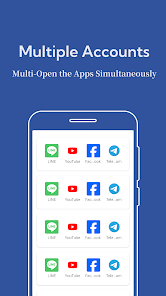
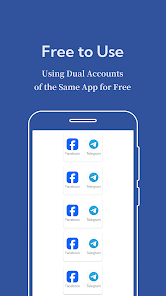
App cloning
Create parallel app spaces and keep multiple accounts active on the same device.
Multi-account control
Move between gaming, social, and work accounts without repeated logins.
Easy to use
Add, remove, and manage cloned apps through a clear everyday interface.
Privacy aware
Separate account spaces help keep app data organized and easier to manage.
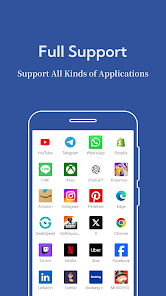
Broad compatibility
Designed for a wide range of Android phones and tablets.
Flexible management
Keep cloned apps in one place and access the right account faster.
Real interface
A cloned-app workspace that is easy to understand
From adding apps to launching cloned spaces, the core actions stay visible and mobile friendly.
Home
A clean app management view
App list
Choose apps to clone with ease
Clone apps
Create supported app copies quickly
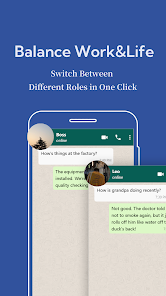
Accounts
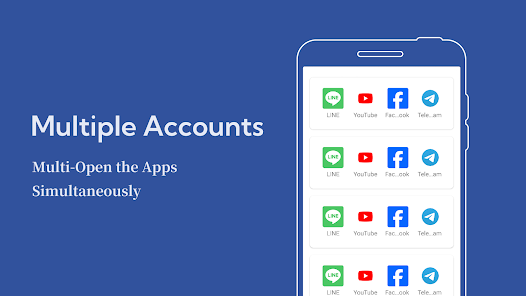
Manage multiple accounts in parallel
Switching
Move between accounts faster
Home
A clean app management view
App list
Choose apps to clone with ease
Clone apps
Create supported app copies quickly
Accounts
Manage multiple accounts in parallel
Switching
Move between accounts faster
Trust and compatibility
Built for everyday multi-account use
Keep the homepage focused on what users need to decide: easy setup, no root requirement, and clear account separation.
View the privacy policyNo root required
Use Dual Space without modifying your Android system or requesting root access.
Separate app spaces
Cloned apps run in their own spaces so accounts stay easier to organize.
Clear boundaries
Keep personal, work, social, and game accounts separated in daily use.
Direct support
Reach the team by email when you need help with privacy or account setup questions.
Before you install
Straight answers to common questions
Quickly check pricing, root access, compatibility, and privacy before downloading.
Ready to start
Download Dual Space and keep every account in its place
Have a question or suggestion? Contact the team and help us keep improving the multi-account experience.
Get it on Google Play